Author: Ankur Raj

  • Loan App Scam Guide: How to Spot Fake Loan Apps and Stay Safe

    Loan App Scam Guide: How to Spot Fake Loan Apps and Stay Safe

    An offer of an instant loan can feel useful during a financial emergency. A message may promise quick approval, no paperwork and money within minutes. But some loan apps are designed to steal fees, collect personal data or trap borrowers in harassment and extortion.

    A loan app scam may use a fake lender, hidden charges, an unsafe app or a fraudulent payment request. Some apps disburse a small amount without clear consent and then demand a much larger repayment. Others collect an advance fee and never provide a loan.

    Quick answer: Do not download a loan app from a link received through WhatsApp, SMS, Telegram or social media. First identify the bank or NBFC providing the loan, then verify the app through that lender’s independently located official website.

    What Is a Loan App Scam?

    A loan app scam is a fraud built around a false, unauthorised or misleading digital loan offer. The scam may aim to:

    • Collect an advance processing fee without giving a loan
    • Steal PAN, Aadhaar, bank or contact information
    • Gain access to photos, contacts and messages
    • Disburse an amount without clear terms and demand excessive repayment
    • Threaten or shame the user into paying
    • Impersonate a real bank, NBFC or loan platform
    • Install malware through an APK file or unsafe link

    Not every expensive loan is necessarily a fake app, and not every repayment dispute is cyber fraud. The key questions are whether the lender is identifiable, whether the terms were clearly disclosed, whether consent was valid and whether collection practices are lawful.

    How Does a Fake Loan App Scam Work?

    1. The user receives an attractive offer

    The offer may arrive through SMS, WhatsApp, a social-media ad, a phone call or a search advertisement. Common claims include:

    • “Instant loan approved”
    • “No credit check required”
    • “Get ₹50,000 in five minutes”
    • “Low-interest personal loan—apply now”
    • “Pre-approved loan waiting for you”

    The message usually creates urgency and directs the user to a link.

    2. The app asks for personal information

    The user may be asked for PAN, Aadhaar, a selfie, bank details and employment information. A harmful app may also request access to contacts, photos, call logs, SMS or device storage.

    These permissions can be misused to threaten the borrower, contact relatives or create morphed images.

    3. The scam takes one of several routes

    The operator may:

    • Demand an upfront fee and disappear
    • Approve a different amount from the one requested
    • Transfer a small amount and demand a much larger repayment
    • Hide the interest rate, fees or short repayment period
    • Ask for repayment to a personal UPI ID or changing account
    • Use threats and public shaming to collect money
    • Repeatedly offer new loans to pay old ones

    4. Harassment begins

    The app’s agents may call repeatedly, use abusive language, threaten legal action or contact people in the user’s phone book. They may send morphed photos or false messages to family and colleagues.

    Fear and embarrassment are used to pressure the user into paying quickly.

    Fake Loan App List: Why a Static List Is Not Enough

    “Fake loan app list” is a common search because people want a quick answer before downloading an app. However, relying only on a static list is unsafe.

    Fraudulent apps can:

    • Change their names and logos
    • Return with a different developer account
    • Copy the name of a genuine lender
    • Move from an app store to an APK download
    • Use several websites for the same operation

    An app not appearing on an old warning list is not automatically safe. Instead of checking only the app name, verify the actual lender behind it.

    The official National Cyber Crime Reporting Portal also provides a Check Suspect facility for websites and apps. Treat any checker as one part of the verification process, not as the only test.

    How to Check Whether a Loan App Is Genuine

    1. Find the legal name of the lender

    The app should clearly state which regulated bank or Non-Banking Financial Company (NBFC) is providing the loan. A brand name or app name alone is not enough.

    If the app claims to work with several lenders, it should clearly identify the lender connected to your loan.

    2. Visit the lender’s official website yourself

    Do not use the link in the loan message. Search for the bank or NBFC independently and check whether its official website lists the app or lending service.

    The Reserve Bank of India has cautioned users to verify whether a digital lending app is associated with an RBI-regulated bank or NBFC by checking the regulated entity’s website.

    3. Check the loan disclosures

    Before accepting, you should be able to see important details such as:

    • Name of the lender
    • Loan amount
    • Annual Percentage Rate or total borrowing cost
    • Processing and other charges
    • Repayment schedule
    • Late-payment terms
    • Grievance contact
    • Recovery-agent details where applicable

    Do not rely on a verbal promise made by a caller or chat agent.

    4. Review the app permissions

    A loan app should not need unrestricted access to your contacts, call logs, personal photos or unrelated files to assess a loan. Be cautious if the app refuses to work unless broad permissions are granted.

    Read the privacy policy and check how your data will be collected, used, shared and deleted.

    5. Check the developer and website

    Look at the developer name, official email address, website domain, privacy-policy link and app-update history. Watch for spelling changes that imitate a known company.

    An app-store listing does not by itself prove that the lender is genuine.

    6. Check where the money moves

    Loan disbursal and repayment should follow the lender’s stated process. Treat requests to pay an advance fee or send repayment to an unrelated personal UPI ID with caution.

    7. Contact the lender using independent details

    Call the phone number shown on the bank or NBFC’s official website. Ask whether the app, agent and loan offer are genuine. Do not call the number provided in the suspicious message.

    8. Check the message or link before opening it

    You can paste a suspicious message or URL, or upload a screenshot, to the free DSN Scam Checker. The tool can identify common fraud signals, but its output is guidance rather than a guaranteed verdict.

    Loan App Red Flags

    Stop and verify the offer if you notice any of these signs.

    The app arrives as an APK file

    You are told to install an app from a website, cloud drive or chat instead of an official app store.

    The lender is not named

    The app shows only a marketing brand and does not clearly identify the bank or NBFC issuing the loan.

    Approval is guaranteed

    The message promises a loan to everyone, with no assessment, documentation or meaningful checks.

    An advance fee is required

    The agent asks you to pay a processing, insurance, GST, security or file-opening fee before any loan is issued, often to a personal account.

    The app demands excessive permissions

    It asks for contacts, call logs, gallery access, SMS, microphone or other information unrelated to the stated purpose.

    Costs are hidden

    The app does not clearly show the interest rate, total cost, deductions, late fee or repayment schedule before acceptance.

    The repayment period is unexpectedly short

    The borrower discovers that repayment is due within days, despite a different period being advertised.

    Money arrives without clear consent

    A small amount is deposited even though the user did not knowingly accept the final terms.

    Repayment details keep changing

    Agents provide new UPI IDs, personal accounts or QR codes and pressure the user to pay immediately.

    The agents threaten or shame the user

    Threats to contact family, publish photos, send false messages or cause arrest are serious warning signs.

    There is no real grievance channel

    The app has no working office address, official support email or named grievance officer.

    What Should You Check Before Taking a Digital Loan?

    Use this short checklist:

    • I know the legal name of the bank or NBFC providing the loan.
    • The lender’s official website confirms the app or service.
    • I downloaded the app through a trusted source reached independently.
    • I received and read the key loan terms.
    • I understand the total amount I will receive and repay.
    • I checked the interest, fees, penalties and due dates.
    • The app is not asking for unrelated phone permissions.
    • Payment does not go to an unknown personal account.
    • I know how to contact the lender’s grievance officer.
    • I have not been pressured to decide immediately.

    If any answer is “no,” pause the application.

    What to Do If a Fake Loan App Has Your Data

    Remove risky permissions

    Open your phone settings and revoke the app’s access to contacts, photos, microphone, camera, SMS, call logs and location where possible.

    Preserve evidence before uninstalling

    Save screenshots of the app, permissions, loan terms, payment demands, threats and agent details. Record the app name, developer, download URL and version.

    Uninstall the app

    After preserving the evidence and revoking access, remove the suspicious app. Run a security scan and install operating-system updates.

    Secure important accounts

    Change passwords for your email, banking and other affected accounts. Turn on two-factor authentication. If you share a card or bank details, contact your bank.

    Monitor for identity misuse

    Watch bank statements, loan messages and credit reports for activity you do not recognise. Keep copies of the complaint in case your identity is misused later.

    What to Do About Loan App Harassment

    Harassment can make a person panic. Take the following steps calmly.

    Do not delete the threats

    Save messages, call logs, recordings where lawful, screenshots, payment demands, UPI IDs, account numbers and morphed images. Note the dates and phone numbers.

    Separate a genuine debt from an extortion demand

    If a valid loan exists, contact the regulated lender through its official website and request a full statement. Do not ignore a genuine repayment obligation. However, do not send money to an unverified agent or changing personal account merely because of a threat.

    Tell trusted contacts if necessary

    If the app has accessed your phone book, warn close contacts that they may receive false or abusive messages. Ask them not to reply, pay or share information.

    Report threats and financial fraud

    For suspected financial cyber fraud in India:

    1. Call the National Cybercrime Helpline on 1930.
    2. File a complaint at cybercrime.gov.in.
    3. Contact your bank or payment provider immediately if money was transferred.
    4. Report the app and developer to the relevant app store.
    5. Approach local police if there are threats, blackmail, stalking or an immediate safety risk.

    Complain to the regulated lender

    If the app is connected to a bank or NBFC, use the grievance contact shown on the lender’s official website. Keep the complaint number and copies of your communication.

    If the complaint is not resolved through the regulated entity’s process, check whether it can be escalated through the RBI Complaint Management System.

    For more detail, read DSN’s guide on how to report cyber fraud in India.

    How to Report a Loan App Scam

    Prepare the following information:

    • App name and developer name
    • App-store or APK link
    • Website URL
    • Claimed lender and agent details
    • Phone numbers and messaging accounts
    • Loan agreement or screenshots of the terms
    • Amount received and amount demanded
    • Bank account, UPI ID or QR code used
    • Transaction references
    • Harassing messages and call logs
    • Permissions requested by the app
    • Complaint made to the lender or app store

    Clear evidence helps the bank, platform and authorities understand the sequence of events.

    How DSN Supports Safer Digital Decisions

    The Digital Suraksha Network is a volunteer-led initiative founded by CoinDCX to help build shared cyber-safety infrastructure for India.

    DSN’s free Scam Checker can analyse a suspicious loan message, link, screenshot or situation before a person clicks or pays. It is a quick educational check, not a substitute for verifying the lender with the RBI-regulated bank or NBFC.

    CoinDCX’s role as DSN’s founding partner supports a broader effort to reduce online impersonation and financial fraud across the digital ecosystem. Learn more about CoinDCX’s Digital Suraksha Network initiative.

    Frequently Asked Questions

    How can I identify a fake loan app?

    Check whether the app names the lending bank or NBFC, appears on that lender’s official website, provides clear loan costs and avoids unnecessary permissions. Advance-fee demands, APK links and personal repayment accounts are major warning signs.

    Is every loan app on an app store safe?

    No. An app-store listing alone does not prove that a lender is regulated or that the loan terms are fair. Verify the app through the bank or NBFC’s official website.

    Where can I find a fake loan app list?

    Warning lists can help, but they become outdated as apps change names and links. Use the National Cyber Crime Reporting Portal’s Check Suspect facility and independently verify the lender behind the app.

    Can a loan app access my contacts?

    Be cautious if a loan app demands access to contacts, call logs, photos or unrelated files. Review and revoke unnecessary permissions through your phone settings.

    What should I do if a loan app is threatening my contacts?

    Preserve the evidence, revoke permissions, warn trusted contacts and report the threats at cybercrime.gov.in. Call 1930 if the case involves financial cyber fraud, and approach local police for immediate threats or blackmail.

    Should I pay a fee before receiving a loan?

    Do not transfer money to an unknown personal account or UPI ID. Verify all charges in the lender’s written terms and contact the lender through its independently located official details.

    What if money was deposited without clear consent?

    Do not follow repayment instructions from an unverified caller. Preserve the records, contact your bank, identify the alleged regulated lender and report suspected fraud through official channels.

    Can the DSN Scam Checker confirm that a loan app is genuine?

    The checker can flag common scam signals in messages, URLs, screenshots and situations. It cannot guarantee that a lender or app is genuine. Confirm the lender through the regulated bank or NBFC’s official website.

    Disclaimer

    This article is for cyber-safety education only. It is not legal, lending or financial advice and does not identify every fraudulent app. App names, scam methods and official procedures can change. For suspected financial cyber fraud in India, contact your bank or payment provider immediately, call 1930 and file a complaint through cybercrime.gov.in. If you face threats or an immediate safety risk, contact local police.
  • Pig Butchering Scam: Meaning, Warning Signs and Safety Steps

    Pig Butchering Scam: Meaning, Warning Signs and Safety Steps

    A friendly message from a stranger may look harmless. The person may claim to have contacted the wrong number. They may talk about work, family or everyday life. Over time, they may become friends. Then the conversation slowly moves towards an investment opportunity.

    This can be the start of a pig butchering scam.

    A pig butchering scam is a long-term investment fraud. The scammer first builds trust and then convinces the person to invest through a fake website, app or trading platform. The victim may see false profits on the screen and may even be allowed to withdraw a small amount. Once larger payments are made, withdrawals are blocked and the money disappears.

    These scams may involve crypto, stocks, forex, gold or other investment products. The asset is not the main issue. The fraud lies in the fake relationship, false platform and stolen money.

    Quick answer: If a person you met online starts giving investment advice, sends a trading link or asks you to transfer money to an unfamiliar account or wallet, stop and verify everything independently. Do not use the contact details or links provided by that person.

    What Is a Pig Butchering Scam?

    The term “pig butchering” comes from language used by criminals to describe slowly gaining a victim’s trust before stealing their money. It can blame or dehumanise victims, so some authorities also use terms such as investment fraud, confidence scam or romance baiting.

    Whatever name is used, the pattern is similar:

    1. A scammer makes unexpected contact.
    2. They spend days or weeks building trust.
    3. They introduce an investment opportunity.
    4. They direct the victim to a fake platform or account.
    5. They show false profits and encourage larger payments.
    6. They block withdrawals or demand more money.
    7. They disappear once the victim stops paying.

    Unlike a quick phishing attempt, this scam may continue for weeks or months. That time is used to make the relationship feel genuine.

    How Does a Pig Butchering Scam Work

    1. The scammer starts a normal conversation

    The first message may be sent through WhatsApp, Telegram, a dating app, social media, SMS or email. Common opening lines include:

    • “Sorry, is this Rahul’s number?”
    • “We met at an event. Do you remember me?”
    • “Your profile appeared in my suggestions.”
    • “I am new to this city and looking for friends.”

    The message may look like an innocent mistake. If the recipient replies, the scammer tries to continue the conversation.

    2. They build trust slowly

    The scammer may share photos, voice notes and stories about work or family. They may message every day, remember personal details and appear supportive. In some cases, the interaction becomes romantic. In others, the scammer acts like a successful investor, mentor or business contact.

    Their aim is to make the victim trust the person before evaluating the investment.

    3. The conversation turns towards money

    The scammer may casually mention that they earn money through crypto, forex, stocks or another investment. They may share screenshots of profits or claim that a relative, analyst or private group gives them reliable trading signals.

    The pitch may not happen immediately. It is often introduced only after trust has formed.

    4. The victim is sent to a fake platform

    The scammer may share a website, app download, referral code or customer-support contact. The platform can look professional. It may show charts, account balances, profit figures and customer-service messages.

    However, the dashboard may be completely controlled by the scam network. The numbers on the screen do not prove that a real investment exists.

    5. A small transaction appears successful

    The victim may be encouraged to start with a small amount. The platform may show an immediate profit. Some scams even allow one small withdrawal to make the platform look genuine.

    This is used as proof that the system “works.” The scammer then encourages a larger payment.

    6. Pressure to invest more begins

    The scammer may claim that a special opportunity is about to close. They may offer a bonus for adding more money or say a larger balance is needed to unlock better returns.

    Victims may be encouraged to use savings, borrow money or liquidate other investments. A scammer may present this pressure as care or expert guidance.

    7. Withdrawals are blocked

    When the victim tries to withdraw, the platform may demand a tax, security deposit, verification charge, liquidity fee or account-unfreezing payment. Each payment leads to another demand.

    A real tax or fee is not normally collected by sending more money to an unknown personal account or wallet to release a withdrawal.

    Once the victim refuses to pay, the scammer and fake support team may stop responding.

    Why Are These Scams So Convincing?

    Pig butchering scams combine emotional manipulation with a professional-looking digital setup. The scammer may use:

    • Stolen or AI-generated profile photos
    • Scripted conversations that feel personal
    • Fake investment dashboards
    • False customer-support teams
    • Fabricated profit screenshots
    • Group chats filled with fake success stories
    • Impersonated financial professionals or brands
    • Small withdrawals designed to build confidence

    The victim is not making one careless decision. They are being guided through a planned series of interactions. Anyone can be targeted, including people who understand technology or investing.

    How Are Pig Butchering and Crypto Scams Connected?

    Many pig butchering scams now use crypto because transfers can move quickly across borders and may be difficult to reverse. The scammer may ask the victim to buy crypto on a real exchange and then send it to an external wallet or fake investment platform.

    This does not mean the real exchange used to purchase the crypto is running the scam. A criminal may misuse the name, logo or screenshots of a known platform, or direct the victim away from the official platform to a fake website.

    Common crypto-related tactics include:

    • Sending a wallet address and asking for a direct transfer
    • Sharing a fake exchange or mining website
    • Claiming that a “trading expert” will manage the funds
    • Promising fixed or guaranteed crypto returns
    • Asking for a seed phrase, private key, OTP or screen-sharing access
    • Demanding a crypto payment to unlock a withdrawal

    Before using any crypto platform, type its official address yourself or use its verified app. Do not rely on a link sent by an online contact. Read DSN’s crypto scam guide for more checks.

    Pig Butchering Warning Signs

    One sign alone may not prove fraud. Several signs together should make you stop.

    An unexpected contact becomes close very quickly

    The person moves from a wrong-number message or new match to daily personal conversations. They may show unusual interest before meeting or verifying their identity.

    The person moves the chat to WhatsApp or Telegram

    Moving away from the original platform reduces the chance that a dating or social-media service will detect and remove the account.

    Investment advice comes from a new online relationship

    The person may claim to have insider knowledge, a profitable system or access to a private group. Personal trust is used in place of independent financial verification.

    Returns appear high, steady or guaranteed

    All genuine investments carry risk. Claims of guaranteed profits, very high daily returns or “zero loss” trading are major warning signs.

    You are told to use a specific link or app

    The website may use a name similar to a real company. A polished design, HTTPS lock icon or app-store listing does not prove that the service is legitimate.

    Payments go to changing accounts or private wallets

    The recipient name may not match the platform. The scammer may provide a new bank account, UPI ID or wallet address for each payment.

    The dashboard shows profits but withdrawals fail

    An account balance displayed by an unknown website is not evidence that money is invested or available.

    More money is demanded to release your funds

    Requests for tax, verification, margin, security or unfreezing payments are common during the final stage of the scam.

    You are told to keep the opportunity secret

    The scammer may discourage you from speaking to your bank, family or financial adviser. Isolation makes the fraud harder to question.

    The person avoids independent verification

    They may refuse a live video call, offer excuses about meeting or become angry when you ask for regulatory and company details.

    A Simple Example

    Suppose a person receives a wrong-number message. The sender apologises and continues chatting. Over several weeks, the sender shares personal stories and mentions earning money through a crypto trading platform.

    The recipient is asked to invest ₹5,000. The platform soon shows ₹6,500, and a small withdrawal succeeds. The recipient then transfers ₹1 lakh. The dashboard displays a much larger profit.

    When the recipient tries to withdraw, “customer support” asks for a 20% tax. After that payment, another security fee appears. The online contact insists that one final payment will release everything.

    The profits were never real. The first withdrawal was part of the trust-building process.

    How to Check an Investment Before Sending Money

    Verify the person separately

    Search their name, phone number, profile photo and claimed company. A reverse-image search may show that the photo belongs to someone else. A video call is helpful but not conclusive because recorded video and deepfakes can also be used.

    Verify the company with the regulator

    Check whether the company and intermediary appear on the relevant regulator’s official website. Type the regulator’s address yourself. Do not use a registration screenshot as proof.

    Inspect the website address

    Look for extra words, misspellings, unusual domains and recently created pages. Read how to spot a fake website before entering personal or payment details.

    Search for independent warnings

    Search the company name with words such as “scam,” “fraud,” “complaint” and “withdrawal problem.” Reviews can also be manipulated, so use them as one signal rather than final proof.

    Question the payment route

    Do not send investment money to an unrelated personal account, changing UPI ID or wallet merely because someone says it belongs to the platform.

    Pause before acting

    Speak to a trusted person who is not part of the opportunity. A genuine investment will not become invalid because you took time to verify it.

    You can also paste a suspicious message or URL, or upload a screenshot, to the free DSN Scam Checker. It can highlight known scam signals, but its result should be used with your own checks and not treated as a guarantee.

    What to Do If You Have Already Sent Money

    Act quickly. Recovery is not guaranteed, but fast reporting can improve the chance of stopping further transfers.

    1. Stop sending money

    Do not pay a tax, recovery fee or account-unlocking charge. Do not warn the scammer about every step you are taking.

    2. Contact the bank or payment provider immediately

    Tell them that the transfer was linked to suspected fraud. Ask whether the transaction can be held, recalled or marked as fraudulent. If crypto was purchased through an exchange, contact the exchange’s official support and share the transaction ID and receiving-wallet address.

    3. Call 1930

    In India, call the National Cybercrime Helpline on 1930 for financial cyber fraud. Report the incident as soon as possible.

    4. File an online complaint

    Submit a complaint on the official National Cyber Crime Reporting Portal. Include payment records, account details, wallet addresses, website URLs and screenshots.

    5. Preserve the evidence

    Save:

    • The complete chat history
    • Phone numbers and social-media profiles
    • Website and app links
    • Bank, UPI and wallet details
    • Transaction IDs and receipts
    • Screenshots of the fake dashboard
    • Emails from the platform
    • Dates and amounts of every payment

    Do not delete the conversation, even if it feels upsetting or embarrassing.

    6. Secure your accounts

    If you shared a password, OTP, identity document or screen access, change affected passwords from a safe device. Turn on two-factor authentication and contact the relevant bank or platform. Remove any remote-access app installed at the scammer’s request.

    7. Watch for recovery scams

    After a loss, another person may promise to recover the money for an upfront fee. They may already know details about the original scam. Do not send more money or share wallet credentials. Use official reporting and support channels only.

    For a fuller checklist, read how to report cyber fraud in India.

    How DSN Helps People Check Before They Act

    The Digital Suraksha Network is a volunteer-led cyber-safety initiative founded by CoinDCX. It is designed to support safer digital participation across sectors, not only crypto.

    DSN’s free Scam Checker can analyse suspicious messages, links, screenshots, wallet addresses and situations for common fraud signals. It provides a quick second opinion before a person clicks, replies or pays. The tool is educational and can make mistakes, so official verification remains important.

    CoinDCX’s role as DSN’s founding partner reflects a wider effort to help people recognise impersonation, fake websites and digital financial fraud before money changes hands. You can read more about the Digital Suraksha Network initiative on CoinDCX.

    Frequently Asked Questions

    Is pig butchering only a crypto scam?

    No. Crypto is common in these scams, but criminals may also use fake stock, forex, gold or other investment platforms. The main pattern is long-term trust-building followed by investment fraud.

    Can a pig butchering scam begin with a wrong-number message?

    Yes. An apparently accidental message is a common opening. The sender tries to turn a brief reply into an ongoing personal conversation.

    Does a successful first withdrawal prove the platform is real?

    No. Some scam operations allow a small early withdrawal to gain trust and encourage a much larger payment.

    Can profits shown in an app be fake?

    Yes. A fraudulent platform can display any balance or profit figure its operators choose. A number on a screen does not prove that an asset was bought.

    Should I pay a tax or fee to unlock my withdrawal?

    Do not send further money to an unknown account or wallet. Contact your bank or payment provider and report the platform through official channels.

    What should I do if I share my ID documents?

    Preserve the evidence, secure your financial and email accounts, monitor for misuse and mention the document exposure in your cybercrime complaint. Contact the issuing authority if replacement or additional protection is advised.

    Can money lost in an investment scam be recovered?

    Recovery is not guaranteed. Report the transaction immediately to the bank or payment provider, call 1930 and file a complaint at cybercrime.gov.in. Be cautious of anyone demanding an upfront recovery fee.

    How can I check a suspicious investment link?

    Do not open the link. Copy it carefully and use the DSN Scam Checker, then verify the company through the relevant regulator and its independently located official website.

    Disclaimer

    This article is for cyber-safety education only. It is not legal, financial or investment advice, and it does not guarantee recovery of lost funds. Scam methods and official procedures can change. For suspected financial cyber fraud in India, contact your bank or payment provider immediately, call 1930 and use the official National Cyber Crime Reporting Portal at cybercrime.gov.in. 

  • What Is Digital Arrest? Scam Signs & Safety Tips

    What Is Digital Arrest? Scam Signs & Safety Tips

    A digital arrest is not a real arrest or a legal procedure. It is a scam in which criminals pretend to be police officers, investigators, court officials, regulators or other authorities. They falsely accuse a person of being linked to a crime and use fear to demand money, personal information or continued access over a phone or video call.

    The caller may know your name, address, phone number or part of your identity details. They may show a uniform, an official-looking office, a forged arrest warrant or a document carrying government logos. None of this proves that the call is genuine.

    The Government of India has clearly stated that there is no provision for “digital arrest”. If someone says you must remain on a video call, keep the conversation secret or transfer money to avoid arrest, end the call and verify the claim independently.

    Receiving a digital arrest call? Do this immediately

    1. End the call. You do not need the caller’s permission to disconnect.
    2. Do not transfer money to a “safe account”, “verification account” or any account provided by the caller.
    3. Do not share an OTP, PIN, password, CVV, bank balance, account statement, Aadhaar details or other sensitive information.
    4. Do not install an app, share your screen or allow remote access to your phone or computer.
    5. Contact the organisation being claimed through a number or website you find independently.
    6. Tell a family member, colleague or another trusted person. Secrecy helps the scammer maintain pressure.
    7. Save the phone number, messages, documents, payment details and screenshots if you can do so safely.
    8. Report the call through the National Cybercrime Helpline at 1930 or the National Cyber Crime Reporting Portal.

    If money has already left your account, contact your bank or payment provider immediately through its official fraud-reporting channel. Quick reporting may help the bank and authorities act, but recovery cannot be guaranteed.

    What is a digital arrest scam?

    A digital arrest scam is a form of impersonation, intimidation and financial fraud. The scammer creates a false legal emergency and claims that the victim’s identity, bank account, SIM card or parcel is connected to a serious offence.

    Common allegations involve money laundering, drug trafficking, illegal parcels, forged documents, terrorism financing or misuse of an Aadhaar-linked account. The details vary, but the purpose is the same: to frighten the person into obeying instructions before they can verify the claim.

    The victim may be told that an arrest warrant has been issued, that their bank account will be frozen or that their family will be contacted. The caller may then move the conversation to WhatsApp, Skype or another video platform. Some victims are pressured to remain visible for hours or days and to report their movements to the scammer.

    This forced isolation is why the fraud is described as a “digital arrest”. The term refers to the scammer’s method of control. It does not describe a lawful power held by the caller.

    Is digital arrest legal in India?

    No. “Digital arrest” is not a lawful procedure in India. A police officer, court, CBI official, RBI representative or other authority cannot place a person under arrest through a phone or video call.

    Government agencies may contact people as part of legitimate administrative or investigative work. However, an unexpected caller cannot prove their identity simply by displaying a uniform, badge, video background, case number or document. These details can be copied, fabricated or misused.

    The Ministry of Home Affairs alert on digital arrest scams describes criminals impersonating police, the CBI, the Narcotics Department, the RBI and other law-enforcement agencies. It also notes the use of fake police-station sets and prolonged video calls.

    The safest response is to disconnect and contact the named agency using contact information published on its official website. Do not continue through the number, link or account supplied by the caller.

    How does a digital arrest scam work?

    Digital arrest fraud usually develops in stages. Recognising the sequence can help you stop the interaction before money or information is lost.

    1. An unexpected call creates alarm

    The first contact may appear to come from a courier company, telecom provider, bank, police unit or government department. The caller says that a parcel, SIM card, bank account or identity document connected to you has been used in a crime.

    The story may include some real personal information. That does not make it genuine. Personal details can come from public profiles, data leaks, earlier scam interactions or information gathered during the call.

    2. The call is transferred to a supposed authority

    The first caller may offer to connect you to the police, CBI, customs, narcotics officials or another department. A second person then speaks in formal language and claims to have access to a complaint, FIR, warrant or investigation file.

    This transfer is designed to make the process feel organised. In reality, both callers may be part of the same group.

    3. Fake evidence is presented

    The scammer may send a fabricated warrant, court order, identity card or account-freezing notice. During a video call, they may wear a uniform or sit in a room made to resemble a police station or government office.

    Logos, seals, signatures and case numbers can be copied. A document sent by the person making the threat is not independent proof.

    4. The victim is isolated

    The caller says the investigation is confidential and warns the victim not to speak to family, friends, a bank or a lawyer. They may demand that the camera remain on and ask the person to move to a private room.

    Isolation prevents someone else from questioning the story. It also gives the scammer more time to create fear and monitor the victim’s actions.

    5. Personal and financial details are collected

    The victim may be asked about bank accounts, savings, investments, income, property or insurance. The caller may describe this as “asset verification” or an effort to prove that the money is legitimate.

    These questions help the criminal estimate how much money can be demanded. Do not share account balances, statements, identity documents, passwords or authentication codes with an unverified caller.

    6. Money is demanded for verification

    The scammer instructs the victim to transfer money to a “safe”, “government”, “RBI”, “escrow” or “verification” account. They may promise that the funds will be returned after the investigation.

    An account name, payment receipt or refund promise does not make the transfer safe. Legitimate law-enforcement agencies do not require people to move their savings to an account chosen during a threatening call.

    7. The pressure continues

    After one payment, the caller may demand another amount for tax, bail, account clearance or release of the earlier transfer. The story changes because the scam is designed to extract as much as possible.

    Do not send another payment to recover the first. End contact and report the fraud immediately.

    Common stories used in digital arrest fraud

    Scammers change their scripts, but several claims appear repeatedly:

    • A parcel booked in your name contains drugs, fake passports or illegal goods.
    • A SIM card or Aadhaar-linked number registered to you was used for criminal activity.
    • Your bank account received illegal funds or is connected to money laundering.
    • A relative has been arrested or involved in an accident.
    • An arrest warrant has been issued and immediate cooperation is required.
    • Your accounts or property will be frozen unless you complete “verification”.
    • You must transfer money to prove that it is legitimate.
    • You are not allowed to disconnect, leave the room or tell anyone about the case.

    The allegation is meant to shock you, not give you time to think. The specific story matters less than the behaviour: an unexpected caller claims authority, blocks independent verification and demands secrecy, information or money.

    Digital arrest warning signs

    Treat the interaction as a likely scam if the caller does one or more of the following:

    • Threatens immediate arrest through a call or video call.
    • Says you are under “digital arrest” or “virtual custody”.
    • Demands that you remain visible on camera for an extended period.
    • Tells you not to speak to family, a lawyer, your bank or local police.
    • Asks for money to settle, verify or close a criminal case.
    • Provides an account and calls it safe, secret, government-approved or monitored by the RBI.
    • Requests an OTP, PIN, password, CVV, account statement or screen-sharing access.
    • Sends a warrant, FIR or court document only through WhatsApp or another messaging service.
    • Becomes aggressive when you say you will disconnect and verify independently.
    • Asks you to liquidate investments, break a fixed deposit, borrow money or transfer funds across several accounts.
    • Uses caller ID, uniforms, official logos or personal information as the main proof of identity.

    One unusual detail may not establish fraud by itself. But a demand for secrecy, continued video surveillance or payment to avoid arrest is a clear reason to stop.

    Scammer versus legitimate authority: a quick comparison

    CheckScam callerLegitimate verification
    ContactUnexpected call or video demandUse an official channel found independently
    Arrest processClaims the arrest happens on the callA phone or video call cannot place you under digital arrest
    SecrecyTells you not to speak to anyoneYou may seek family, legal or police help
    MoneyDemands a transfer to a “safe” or “verification” accountVerify any financial request outside the incoming call
    CredentialsAsks for OTPs, PINs, passwords or screen accessDo not disclose credentials or grant remote access
    DocumentsSends badges, warrants or court papers as proofConfirm the document through the relevant official office or website

    Even when a genuine issue exists, you can verify it outside the incoming call. Use the official website of the agency, visit the relevant office or police station, or seek independent legal advice. Do not let the caller control how you verify the claim.

    Why do digital arrest scams feel convincing?

    These scams are designed around human reactions rather than technical knowledge. Anyone can be affected when fear, authority and urgency arrive together.

    Fear narrows attention

    An accusation involving arrest, drugs or money laundering can make it difficult to process inconsistencies. The scammer keeps speaking so that the victim has little time to pause.

    Authority creates pressure

    Uniforms, legal terms and government logos can make a request feel compulsory. The victim may comply because questioning an apparent authority feels risky.

    Personal details create false trust

    A caller who knows your name or address can appear credible. But accurate information about you does not confirm who is calling or why.

    Isolation removes a second opinion

    A family member, colleague, banker or lawyer may quickly notice that the process does not make sense. This is why scammers insist on secrecy and uninterrupted contact.

    The right response is not to become suspicious of every genuine communication. It is to create a pause between an alarming claim and any action involving money, credentials or account access.

    What do real digital arrest cases show?

    Official cases show that the pattern is not limited to obviously suspicious messages. Victims have faced prolonged calls, fabricated documents and detailed claims involving serious offences.

    In one case reported by the CBI, a senior citizen was allegedly coerced into transferring ₹25.65 lakh after callers impersonated security and counter-terrorism officials. The callers claimed that her account was linked to terrorism-related activity and shared a fabricated attachment order. The CBI’s official update said an accused was arrested and a portion of the money was returned after the required court orders.

    This case highlights three important points:

    • A detailed allegation is not proof that the caller is genuine.
    • Forged legal documents can be used to strengthen the threat.
    • Recovery can be difficult and is never guaranteed, even when a case is investigated.

    Real cases should be discussed without blaming the victim. Criminals deliberately create fear, confusion and isolation. The useful question is not why someone believed the call, but which warning signs and reporting steps can prevent further harm.

    What to do if you already shared information

    The next steps depend on what was exposed.

    If you shared identity details

    Save the conversation and note exactly what was shared. Watch for follow-up impersonation, account-reset messages or new requests using the same information. Contact the relevant service through its official channel if an account or identity document may be at risk.

    If you shared a password or authentication code

    Use a trusted device to change the affected password immediately. Sign out of other sessions, review recovery details and enable multi-factor authentication. Change the password on other accounts if you reused it.

    If you installed an app or shared your screen

    Disconnect the device from the internet if suspicious activity is continuing. Stop remote access and contact your bank or affected service from another trusted device. Do not follow cleanup instructions supplied by the caller.

    If you disclosed financial information

    Contact the bank or financial institution using its official app, website or published number. Ask about the appropriate account-protection steps and monitor for unfamiliar transactions or login attempts.

    What to do if you transferred money

    Act without waiting for the scammer to call again.

    1. Contact your bank or payment provider immediately. Report the transaction as fraudulent and ask for the appropriate protective action. Record the complaint number.
    2. Call 1930. Provide accurate transaction, beneficiary and contact details.
    3. File a complaint at the National Cyber Crime Reporting Portal. Save the acknowledgement number.
    4. Preserve evidence. Keep phone numbers, call logs, messages, documents, account details, transaction IDs, dates, amounts and screenshots.
    5. Secure affected accounts. Change exposed credentials from a trusted device and review active sessions.
    6. Inform someone you trust. Continued isolation can make it easier for the scammer to demand more money.
    7. Do not pay a recovery agent. A person promising guaranteed recovery for an advance fee may be attempting a second scam.

    Government guidance advises people to report suspicious digital arrest calls through 1930 or cybercrime.gov.in. Reporting quickly may allow banks and authorities to trace or hold funds, depending on the circumstances. It does not guarantee a refund.

    For payment-specific guidance, read DSN’s UPI fraud guide.

    Evidence to keep when reporting the scam

    Preserve the original information where possible:

    • Phone numbers, usernames, email addresses and profile links.
    • Call dates, times and duration.
    • Messages, emails and chat transcripts.
    • Documents, identity cards, warrants or notices sent by the caller.
    • Bank account, UPI ID or wallet details supplied for payment.
    • Transaction IDs, UTR numbers, amounts, dates and beneficiary names.
    • Screenshots or recordings that were already available lawfully.
    • Bank, platform and cybercrime complaint acknowledgement numbers.

    Do not edit the original evidence. Do not contact the scammer again merely to collect more information. Give accurate details to the bank and authorities and follow their instructions.

    How to protect yourself and your family

    • Discuss digital arrest scams with parents, relatives and colleagues before a suspicious call occurs.
    • Agree that no urgent financial request will be acted on without a second person checking it.
    • Use official apps, saved bookmarks and verified support numbers for banks and financial platforms.
    • Keep personal information on social media limited where practical.
    • Use unique passwords and multi-factor authentication for important accounts.
    • Never share OTPs, PINs, passwords, recovery phrases or remote access with an unexpected caller.
    • Treat caller ID, profile photos and video as clues, not proof of identity.
    • Use the DSN Scam Checker as an additional check for suspicious messages, links, screenshots or situations.

    The scam checker uses AI and pattern-based analysis and is currently in beta. Its result should support, not replace, independent verification through an official source.

    For broader warning signs that apply across different fraud types, read DSN’s guide on how to identify an online scam.

    How DSN and CoinDCX support safer digital participation

    Digital Suraksha Network is an independent initiative powered by CoinDCX. It develops public education and shared cyber-safety tools intended to help people recognise suspicious activity before they click, share information or transfer money.

    CoinDCX founded DSN as part of a ₹100 crore commitment to strengthen cyber-safety infrastructure for India’s digital-finance ecosystem. The initiative is broader than crypto and is intended to support safer participation across digital platforms. Readers can review the CoinDCX announcement about DSN for details.

    CoinDCX is registered with the Financial Intelligence Unit–India as a Reporting Entity and follows applicable anti-money-laundering and counter-financing-of-terrorism obligations. FIU registration is a compliance status; it is not a promise of investment returns or protection from every type of fraud. When using any financial platform, verify the official website or app, review each transaction and protect your credentials.

    Frequently asked questions

    What is digital arrest?

    Digital arrest is a scam in which criminals impersonate police, investigators, regulators or court officials and falsely claim that a person is under investigation or arrest. They use threats, secrecy and video calls to demand money or sensitive information. It is not a lawful form of arrest.

    Can police digitally arrest someone on a video call?

    No. There is no legal procedure that allows police to place someone under “digital arrest” through a phone or video call. Disconnect and verify any claim through the agency’s official contact details or a local police station.

    How can I identify a fake police or CBI call?

    Warning signs include threats of immediate arrest, forced secrecy, prolonged video surveillance, demands for money, requests for banking credentials and resistance to independent verification. A uniform, badge, case number or official-looking document does not prove the caller’s identity.

    Will an investigating agency ask me to transfer money to a safe account?

    A demand to move money to a “safe”, “RBI”, “government” or “verification” account during a threatening call is a scam warning sign. Do not transfer the funds. End the call and contact the named organisation independently.

    What should I do if I receive a digital arrest call?

    End the call, do not pay or share sensitive information, preserve available evidence and verify the claim through an official channel. Report the incident through 1930 or cybercrime.gov.in.

    What should I do if I already paid the scammer?

    Contact your bank or payment provider immediately, call 1930 and file a complaint at cybercrime.gov.in. Keep the transaction ID, beneficiary details, messages, phone numbers and documents ready. Prompt reporting may help, but recovery is not guaranteed.

    Can digital arrest scammers use real personal information?

    Yes. A caller may know your name, address, phone number or other details. The information may come from public sources, data leaks or earlier conversations. Correct personal information does not prove that the caller represents an authority.

    Are documents shared on WhatsApp valid proof of an arrest warrant?

    No document should be trusted only because it carries a government logo, seal or signature. Do not verify it using contact details supplied by the sender. Contact the relevant agency independently or seek legal advice.

    Can DSN confirm whether a digital arrest call is genuine?

    The DSN Scam Checker can analyse suspicious messages, links, screenshots and situations for known warning signs. It is an educational beta tool and can make mistakes. Use its result alongside independent verification and official reporting channels.

    Conclusion

    A digital arrest scam works by making fear feel more urgent than verification. The caller may sound professional, know personal details and display convincing documents, but no one can lawfully arrest you through a phone or video call.

    End the interaction, speak to someone you trust and verify the claim through an official source. Never transfer money to prove your innocence or move funds to a supposed safe account. If money has been transferred, contact the bank, call 1930 and report the incident at cybercrime.gov.in immediately.

    You can also visit Digital Suraksha Network for practical scam-awareness guides and the free DSN Scam Checker.The tool is in beta and provides guidance, not a final legal or fraud verdict.

  • UPI Fraud: Types, Prevention and How to Report It in India

    UPI Fraud: Types, Prevention and How to Report It in India

    UPI fraud is the misuse of UPI payments, identities or related communication to steal money or gain access to a person’s bank account. It may involve a fraudulent collect request, QR code, fake payment confirmation, impersonation call, phishing link, screen-sharing app or compromised device.

    UPI itself requires users to review and authorise transactions. Fraudsters therefore often rely on deception: they create urgency, pretend to be a trusted person or organisation, and persuade the user to approve a debit. Other cases may involve an unauthorised transaction after account or device access has been compromised.

    The most important rule is simple: a standard incoming UPI payment does not require you to enter your UPI PIN. Entering the PIN authorises money to be debited from your account. Always read the transaction screen, beneficiary name and amount before approving anything.

    Lost money through UPI fraud? Do this immediately

    If money has already been transferred or debited:

    1. Contact the bank and UPI app immediately through their official fraud-reporting channel.
    2. Call the National Cybercrime Helpline at 1930 without delay.
    3. File and track the complaint at cybercrime.gov.in.
    4. Keep the UPI transaction or reference number, beneficiary UPI ID, amount, date, time, messages and screenshots ready.
    5. Secure the affected bank, email, SIM and payment accounts from a trusted device.

    Quick reporting can improve the chance of timely intervention, but it does not guarantee that the money will be recovered.

    UPI fraud: quick safety checklist

    Before approving a UPI payment or collect request, check the following:

    • Did you initiate the transaction?
    • Does the beneficiary name match the intended recipient?
    • Are the amount and payment purpose correct?
    • Are you being told to enter a UPI PIN to receive a refund, prize or incoming payment?
    • Is someone pressuring you to act immediately or stay on a call?
    • Were you asked to scan a QR code, install an app or share your screen to receive money?
    • Are you relying on a screenshot instead of checking your own transaction history or bank account?

    If anything appears inconsistent, cancel the request and verify the claim through an official channel.

    What is UPI fraud and how is it done?

    UPI fraud is any deceptive or unauthorised activity involving the Unified Payments Interface. Fraudsters may manipulate a victim into approving a debit, capture a UPI PIN or OTP, take control of a device, impersonate a trusted recipient, or misuse compromised account access.

    The UPI system does not require a user to disclose the PIN to another person. Most scams work by changing how the victim interprets a normal payment action. A collect request is presented as incoming money, a payment QR code is described as a refund tool, or a debit approval is called an account-verification step.

    Not every failed, delayed or disputed UPI transaction is fraud. A payment can remain pending or fail because of a technical issue. Fraud involves deception, unauthorised access or a deliberately false payment claim. This distinction matters because the next step differs:

    • For a failed or pending legitimate transaction, use the complaint option in the UPI app or the official NPCI UPI Help service.
    • For a suspected fraudulent or unauthorised transaction, immediately contact the bank or payment provider, call 1930 and report the incident at cybercrime.gov.in.

    How does a UPI payment normally work?

    UPI allows a person to send or receive money through a UPI app linked to a bank account. A payment can be initiated using a UPI ID, mobile number, QR code, saved beneficiary or another supported method.

    When sending money, the payer should:

    1. Enter or select the recipient’s UPI details.
    2. Check the beneficiary name displayed by the app.
    3. Enter the amount and review the transaction.
    4. Enter the UPI PIN on the app’s authorised PIN screen to approve the debit.
    5. Confirm the final status in the app and bank account.

    The PIN is not a receipt code, refund code or verification number. It authorises a debit. A fraudster may describe the screen differently, but the transaction details shown by the app are what matter.

    Common types of UPI fraud

    1. Fraudulent UPI collect requests

    A UPI collect request asks the recipient to approve a payment to the requester. Fraudsters may disguise it as a refund, cashback, prize, account verification or incoming payment. They then tell the victim to enter a UPI PIN to “accept” the money.

    Approving the request actually sends money from the victim’s account. Never approve an unfamiliar collect request. Check who sent it, the amount and whether you were expecting to pay that person.

    2. QR-code scams

    A QR code can conveniently contain payment details, but scanning one usually begins a payment process. A scammer may claim that scanning a code will credit a refund, release a parcel payment or allow a buyer to send money.

    Do not scan an unknown QR code merely to receive money. If the next screen asks for an amount or UPI PIN, you are likely authorising a debit. Cancel the transaction and verify the request independently.

    3. Fake UPI payments and screenshots

    A buyer may show a fake successful-payment screen, edited screenshot or fabricated message and pressure a seller to release goods or return an alleged excess payment. A notification sound or screenshot is not proof that money reached the account.

    Check the transaction inside your own UPI app and bank statement. Confirm that the status is successful and that the amount has actually been credited. Do not rely on evidence controlled by the other person.

    Also read: How to identify a fake UPI payment

    4. Fake customer-care and refund calls

    Fraudsters may place unofficial phone numbers on websites, advertisements or social-media pages and pretend to represent a bank, UPI app, merchant or delivery service. They may ask for an OTP or PIN, send a collect request, or persuade the person to install a remote-access app.

    Use only the support option inside the official app or contact details published on the organisation’s verified website. Do not assume that a number appearing in search results is genuine.

    5. Phishing links and fake UPI apps

    A message may claim that KYC has expired, a reward is waiting or an account will be blocked. The linked page or app imitates a legitimate service and asks for credentials, payment information or device permissions.

    Open the official UPI or banking app directly instead of using the link. Download financial apps only from the official app store and verify the developer and app name. 

    For a deeper URL check, read DSN’s guide on how to identify a phishing link.

    6. Screen-sharing and remote-access fraud

    A supposed support agent may ask the victim to install a screen-sharing or remote-access app. Once access is granted, the fraudster may see messages, guide the victim through a transaction or capture sensitive information displayed on the device.

    Banks and payment providers do not need remote control of a customer’s phone to issue a routine refund or resolve a complaint. End the call and contact the organisation using an official channel.

    7. UPI ID impersonation

    Fraudsters may create a UPI ID or payment profile that resembles a business, charity, friend or public figure. Similar spelling and a familiar profile name can make the identifier appear genuine at a glance.

    Before paying, check the beneficiary name resolved by the app and confirm the UPI ID with the recipient through a trusted channel. A familiar-looking UPI ID alone is not proof of ownership.

    8. Account or device takeover

    If a fraudster gains control of a phone number, device, email account or banking credentials, they may attempt transactions without the account holder’s informed approval. Unexpected SIM disruption, new-device alerts, password-reset messages or unfamiliar UPI registrations should be treated seriously.

    Contact the mobile operator and bank immediately through official channels. Secure the affected accounts from a trusted device and report any unauthorised transaction without delay.

    How to identify a UPI fraud attempt

    Look for a combination of the following warning signs:

    • Someone says you must enter a UPI PIN to receive money.
    • A buyer or support agent asks you to scan a QR code for a refund or credit.
    • An unexpected collect request appears while you are on a call.
    • The caller asks for an OTP, UPI PIN, password, card details or screen-sharing access.
    • You are told that a small transfer is required to verify or activate your account.
    • The beneficiary name does not match the person or organisation being claimed.
    • A payment is shown only through a screenshot, SMS or sender-controlled app screen.
    • The person objects when you try to verify the request through the official app, bank or merchant.
    • The story changes after a payment, and another amount is demanded to release or recover the first one.

    These are UPI-specific applications of broader scam behaviour. The difference is that the fraudster is trying to bring the victim to a payment-authorisation screen or gain access to the device or account used for UPI.

    How to verify a UPI ID before sending money

    A UPI ID check can reduce the risk of paying the wrong or impersonated account, but it cannot prove that the recipient is honest. Use the following process:

    1. Enter the UPI ID only in your trusted UPI app. Avoid verification links or tools sent by an unknown person.
    2. Read the beneficiary name shown by the app. It should reasonably match the intended recipient or business.
    3. Confirm the UPI ID through another trusted channel. For a known person, use a saved phone number. For a business, use its official website, app, invoice or verified counter display.
    4. Check the amount and purpose before authorising. A correct beneficiary does not make an unexpected or unclear request safe.
    5. Use I4C’s suspect repository as an additional check when relevant. The National Cyber Crime Reporting Portal allows users to search reported identifiers, including UPI IDs. However, the absence of an identifier does not prove that it is safe because fraudsters can create or change accounts quickly.

    Never enter a UPI PIN merely to “verify” an ID. A PIN entry authorises a transaction; it is not a general identity-check tool.

    What is a transaction ID in UPI?

    A UPI transaction ID or reference number identifies a specific transaction. Depending on the app and bank, users may also see labels such as transaction ID, UPI reference number, UTR or bank reference number.

    The transaction details usually include:

    • transaction or reference number;
    • date and time;
    • amount;
    • payer and beneficiary details;
    • status such as successful, pending or failed; and
    • optional note or payment purpose.

    Keep this information when raising a complaint. A transaction ID can help a bank, UPI app or authority trace the payment, but the existence of an ID does not by itself prove that a screenshot is genuine or that the recipient is trustworthy.

    How to check UPI transaction status

    To perform a UPI transaction status check:

    1. Open the UPI app used for the payment.
    2. Go to transaction history and select the relevant payment.
    3. Review the status, amount, beneficiary and reference number.
    4. Check the linked bank account or official bank statement for the corresponding debit or credit.
    5. If the status remains pending or appears inconsistent, raise a complaint through the app or use the official NPCI UPI Help service.

    Do not use an unknown website that asks for a UPI PIN, OTP or banking password to check a transaction. For a suspected fraud, checking the status is only one step; report it immediately instead of waiting for the transaction to update.

    How to prevent UPI fraud

    Use these habits every time you make or receive a UPI payment:

    • Enter a UPI PIN only on the authorised PIN page of your trusted UPI app.
    • Remember that a standard incoming payment does not require your UPI PIN.
    • Review the beneficiary name, amount and purpose before approval.
    • Decline unexpected collect requests and mandates.
    • Do not scan a QR code to receive money from an unknown person.
    • Confirm credits inside your own app and bank account rather than through screenshots.
    • Never share your UPI PIN, OTP, password or card security details.
    • Do not install remote-access or screen-sharing apps at a caller’s request.
    • Keep the phone, UPI app and operating system updated.
    • Use a device lock and protect the SIM and email account linked to banking services.
    • Access customer support through the official app or verified website.
    • Turn on transaction alerts and review them promptly.
    • Discuss these patterns with family members who may be less familiar with UPI requests.

    No checklist can eliminate every risk, but a consistent pause-and-review habit prevents many authorised-payment scams.

    What to do if you become a victim of UPI fraud

    Act immediately. Prompt reporting may help banks and authorities respond, although recovery cannot be guaranteed.

    Step 1: Stop further transactions

    Do not send more money, even if the fraudster claims that another payment will reverse the first one. End the call or chat and preserve the conversation before blocking the sender.

    Step 2: Contact the bank and UPI app

    Use the official in-app support option, bank website or verified helpline. Report the transaction as fraudulent or unauthorised and request the appropriate account-protection measures. Record the complaint or acknowledgement number.

    RBI advises customers to notify their bank of unauthorised electronic transactions at the earliest because delay can increase the risk of loss.

    Step 3: Call the cybercrime helpline at 1930

    For cyber financial fraud in India, call 1930 as soon as possible. Provide accurate details about the transaction and follow the instructions given by the helpline.

    Step 4: File a complaint at cybercrime.gov.in

    Submit the complaint through the official National Cyber Crime Reporting Portal. Choose the financial-fraud reporting option and provide as much evidence as possible. Save the acknowledgement number so that the complaint can be tracked.

    Step 5: Secure the affected accounts and device

    From a trusted device, change affected banking, email and payment-app credentials where appropriate. Review active sessions and security settings. If a remote-access app was installed, disconnect the device and remove access safely. Contact the mobile operator if SIM compromise is suspected.

    Step 6: Preserve evidence

    Keep copies of:

    • the UPI transaction ID, UTR or reference number;
    • transaction date, time and amount;
    • beneficiary name and UPI ID;
    • bank and UPI-app complaint numbers;
    • phone numbers, messages, emails and chat transcripts;
    • suspicious URLs, QR codes, profiles or advertisements; and
    • screenshots or recordings that were already available lawfully.

    Do not alter the original evidence. Accurate information can help the bank and investigating authorities assess the incident.

    Step 7: Escalate an unresolved service complaint appropriately

    First complain to the concerned bank or regulated payment provider. If there is no response within the applicable period, or you are dissatisfied with the resolution, check eligibility to complain through the RBI Complaint Management System. Under the Reserve Bank–Integrated Ombudsman Scheme, the customer must generally approach the regulated entity first.

    The cybercrime complaint and the bank-service complaint serve different purposes. Filing with one does not remove the need to notify the other where relevant.

    Can money lost through UPI fraud be recovered?

    Recovery may be possible in some cases, especially when the incident is reported quickly, but it is never guaranteed. The outcome depends on factors such as how the transaction occurred, how soon the bank and authorities were informed, whether funds can be traced or held, and the applicable liability and dispute rules.

    For electronic banking transactions undertaken by customers of commercial banks on or after Jul 1, 2026 RBI’s updated directions require customers to notify the bank and report through the National Cyber Crime Reporting Portal or 1930 at the earliest. The directions provide zero liability where the bank is negligent and in specified third-party-breach cases reported to the bank within five calendar days. They also introduce conditional compensation for certain bona fide individual claims involving gross losses up to ₹50,000. Eligibility depends on the bank’s investigation, transaction classification and the detailed RBI conditions; it is not an automatic refund.

    Other regulated bank categories may be governed by their applicable RBI directions and institutional policies. In every case, report immediately and retain the acknowledgement from the bank and cybercrime portal.

    Do not trust a person or “recovery agent” who promises guaranteed recovery in exchange for an advance fee, OTP, UPI PIN or remote access. Such offers may be a second scam targeting people who have already suffered a loss.

    FAQs

    1. How are UPI frauds done?

    UPI frauds are commonly carried out through deceptive collect requests, malicious QR-code instructions, fake payment confirmations, impersonation, phishing, screen sharing or compromised account access. The fraudster tries to make the victim authorise a debit or reveal information that enables a transaction.

    2. Do I need to enter a UPI PIN to receive money?

    No. A standard incoming UPI payment does not require the recipient to enter a UPI PIN. Entering the PIN authorises money to be debited from the account. Always read the transaction screen before approval.

    3. What is a UPI collect request?

    A UPI collect request asks you to approve a payment to another person or organisation. Approving it with your UPI PIN sends money from your account. Decline any collect request that you did not expect or cannot verify.

    4. Can scanning a QR code credit money to my account?

    Scanning a QR code usually begins a payment flow. Do not scan an unknown code or enter a UPI PIN because someone says it is required for a refund or incoming payment.

    5. How can I check whether a UPI ID is fraudulent?

    Enter the UPI ID in your trusted payment app, review the beneficiary name it resolves, and confirm the identifier with the recipient through an independent official or known channel. You can also check the UPI ID in I4C’s suspect repository, but no match does not prove that it is safe. Do not enter a UPI PIN simply to verify an ID.

    6. How can I check a UPI transaction ID or status?

    Open the transaction history in the UPI app, select the payment and review its status, amount, beneficiary and reference number. Cross-check the debit or credit in the linked bank account. Use official in-app support or NPCI UPI Help if a legitimate transaction remains unresolved.

    7. How do I complain about a fraudulent UPI transaction?

    Immediately contact the bank and UPI app through official channels, call the national cybercrime helpline at 1930, and file a complaint at cybercrime.gov.in with the transaction details and evidence.

    8. Is a payment screenshot proof that money was sent?

    No. Screenshots and messages can be edited or fabricated. Confirm the credit in your own UPI app and bank account before releasing goods, issuing a refund or treating the payment as complete.

    9. Can I get my money back after the UPI fraud?

    Recovery is possible in some cases but is not guaranteed. The bank will assess the facts, authorisation, reporting time and applicable rules. Report the transaction immediately, retain the acknowledgement and follow the formal complaint process.

    10. Can the National Cyber Crime Reporting Portal verify a UPI ID?

    The portal’s suspect repository allows users to check identifiers reported in earlier cybercrime complaints, including UPI IDs. A match is a warning signal, but no match does not guarantee that the identifier is safe.

    Conclusion

    UPI fraud often succeeds by making a normal payment screen appear to serve another purpose. A fraudster may call a debit a refund, describe a collect request as an incoming payment, or use a screenshot as false proof of credit. The safest response is to pause, read the transaction details and verify the recipient independently.

    Never share a UPI PIN or OTP, and do not enter a PIN to receive money. If a fraudulent or unauthorised UPI transaction occurs, contact the bank and payment app, call 1930 and report it at cybercrime.gov.in immediately.

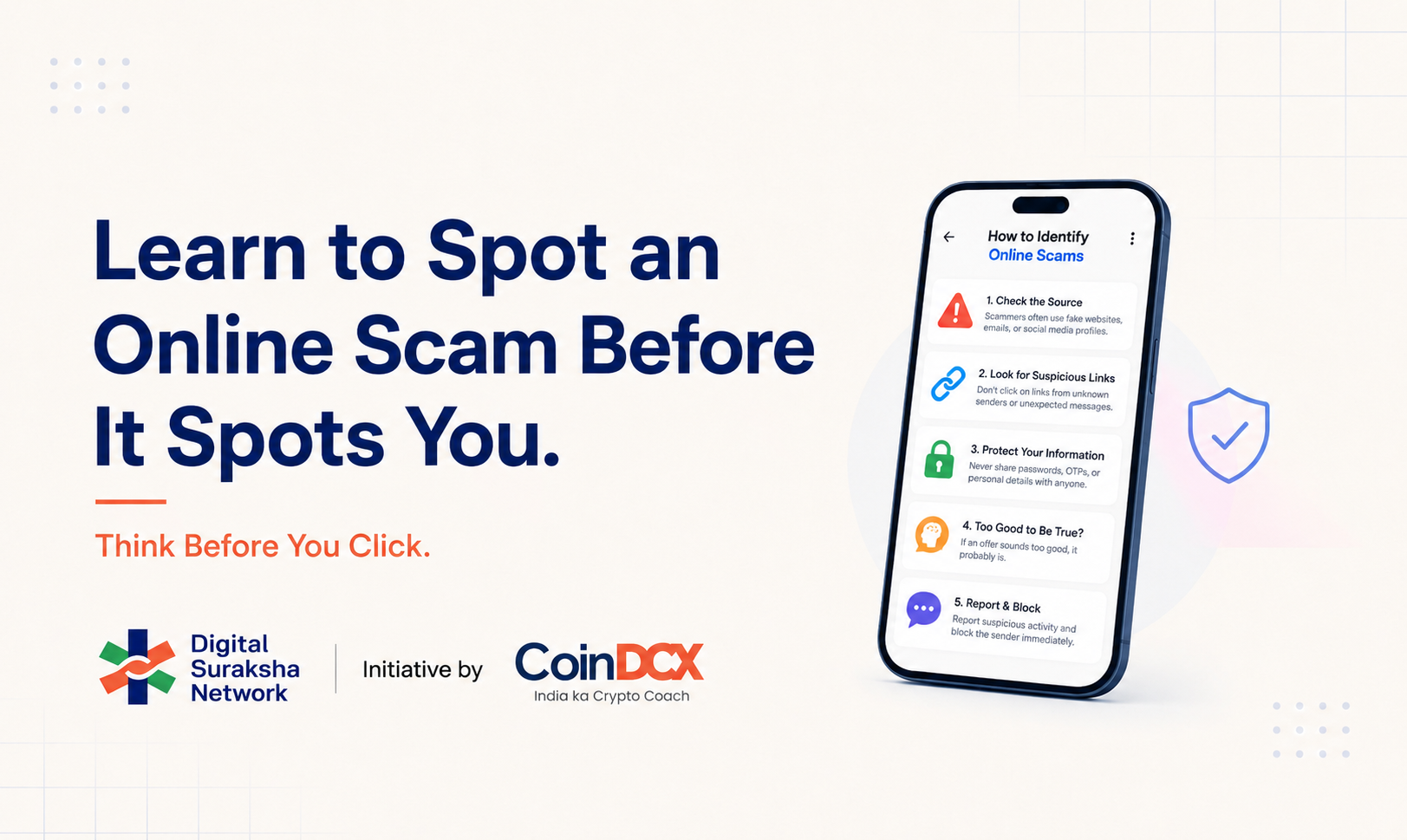
  • What Is an Online Scam and How Can You Identify One?

    What Is an Online Scam and How Can You Identify One?

    An online scam is an illegal attempt to make someone send money, reveal sensitive information, install software or take another action that benefits a fraudster. It may arrive through a call, SMS, WhatsApp message, email, social-media account, website, app, QR code or online advertisement.

    To identify an online scam, look beyond how professional the message appears. Pause when a request is unexpected, urgent, secretive or difficult to verify. Check the sender and claim through an official source you find independently, and never approve a payment or share an OTP, password, PIN or other confidential detail simply because someone asks.

    Scam warning signs: a quick check

    A message, call or offer deserves extra scrutiny if it includes one or more of these signs:

    1. You did not expect the contact or request.
    2. You are pressured to act immediately or keep the conversation secret.
    3. Someone asks for an OTP, password, PIN, CVV, recovery phrase or remote access to your device.
    4. You must pay a fee, deposit, tax or “refundable” amount before receiving money, a prize, a job, a loan or an investment withdrawal.
    5. The offer promises unusually high, guaranteed or risk-free returns.
    6. The sender’s number, email, social-media handle, website or payment name does not match the organisation being claimed.
    7. You are shown only screenshots, badges, testimonials or documents instead of information you can verify independently.
    8. The person tries to move you away from an official app or support channel.
    9. You are told to scan a QR code, enter a UPI PIN, install an app or share your screen for an unclear reason.
    10. The explanation changes when you ask questions, or new payments are demanded before your money can be released.

    One warning sign does not prove fraud by itself. But the more signs you notice, the more important it is to stop and verify before doing anything.

    What is an online scam?

    An online scam is not defined by one app, technology or type of victim. It is defined by deception. A fraudster creates a false identity, false situation or false promise and then uses it to influence what you do.

    The immediate goal may be to obtain money. It may also be to collect information that can later be misused, take control of an account, persuade you to install harmful software, or build enough trust to demand money at a later stage.

    How do online scams work?

    Most online scams follow a similar pattern even when the story, channel or payment method changes.

    They create urgency

    “Your account will be blocked.” “Pay within ten minutes.” “This is your final warning.” A deadline can make you feel that checking will cost you the opportunity or make the situation worse.

    They borrow authority

    A scammer may claim to represent a bank, government department, police unit, courier company, employer, investment platform or familiar brand. Official-sounding language, uniforms, logos and documents can be copied.

    They offer a reward

    Unexpected prizes, refunds, commissions, loans, jobs, giveaways and investment returns can lower a person’s caution. The offer may begin with a small genuine-looking payment before larger deposits are requested.

    They use fear or embarrassment

    Threats involving arrest, account suspension, unpaid bills, leaked information or harm to a family member are designed to prevent calm thinking. The person may tell you not to contact anyone else.

    They build trust gradually

    Not every scam begins with a demand for money. Some start with friendly conversation, a small online task, a relationship, a support request or apparently useful advice. The request becomes risky only after trust has been built.

    Falling for a well-designed scam is not a sign of low intelligence. The practical defence is to create a repeatable pause-and-verify habit that works even when the message feels urgent or personal.

    How to identify an online scam: 10 common warning signs

    1. The contact is unexpected

    Treat an unsolicited message or call carefully, especially when it asks you to click, pay, download, share information or continue on another platform. Even if the sender mentions real personal details, do not assume the identity is genuine. Some information may be public, leaked or gathered from earlier conversations.

    Ask: Did I initiate this interaction? Was I expecting this request? Can I confirm it through an account or contact method I already trust?

    2. You are pushed to act before you can think

    Urgency is one of the strongest scam signals. A legitimate issue may sometimes be time-sensitive, but a genuine organisation should still allow you to verify the request through its official website, app or published support number.

    Pause if someone objects when you say you want to check. Resistance to independent verification is itself a warning sign.

    3. You are told to keep the matter secret

    Scammers may say that an investigation is confidential, a reward will be cancelled if disclosed, or a task cannot be discussed with friends, family, a bank or police. Secrecy isolates you from people who might notice inconsistencies.

    Before making a high-pressure decision, speak to someone you trust. A second person does not need specialist knowledge to spot a request that does not make sense.

    4. Someone asks for confidential credentials

    Do not share passwords, OTPs, card PINs, CVVs, UPI PINs, recovery phrases, security codes or authentication approvals with another person. RBI guidance states that banks and payment-system operators do not ask customers for credentials such as passwords, PINs, OTPs or CVVs.

    Also be cautious if someone asks you to share your screen, install a remote-access app or disable a security setting. These actions can expose information even when you do not read a credential aloud.

    5. Money is required before you can receive money

    A request for an advance charge is common across prize, refund, job, loan, parcel, investment and withdrawal scams. The payment may be described as a processing fee, security deposit, tax, verification amount or temporary transfer.

    Do not rely on a promise that the amount will be refunded. Independently confirm the organisation, the reason for payment and the account receiving it.

    6. The offer is unusually attractive or guaranteed

    High returns with little or no risk, instant loans without meaningful checks, highly paid tasks requiring no experience, and prizes for competitions you did not enter should be questioned.

    Ask what could make the offer legitimate, how the provider earns money, which regulator or authority applies, and whether those details can be checked outside the message. A screenshot or testimonial supplied by the same person is not independent proof.

    7. The identity does not hold up across channels

    Check whether the sender’s email domain, phone number, social-media handle, website and payment beneficiary are consistent with the claimed organisation. Fraudsters may use lookalike spellings, unofficial accounts or names that appear familiar at a glance.

    Do not use only the contact details included in the suspicious message. Find the official website or app independently and start a new conversation through its published channel.

    For a deeper URL-specific check, read DSN’s guide on how to identify a phishing link.

    8. The “proof” cannot be independently confirmed

    Screenshots of payments, account balances, returns, chats or approval letters can be edited or fabricated. A successful-payment screen shown by another person is not the same as money credited to your account.

    Check the transaction inside your own bank or payment app. Verify a job on the employer’s official careers page, a loan through the lender’s official channel, and an investment provider against the relevant official or regulatory records.

    9. You are asked to use an unusual process

    Be careful when someone asks you to scan a QR code to receive money, enter a UPI PIN for a credit, transfer funds to multiple personal accounts, buy gift cards or crypto for an “official” payment, or install an unfamiliar app.

    NPCI’s UPI Safety Shield says a UPI PIN is entered to deduct money, not to receive it, and a QR code should be scanned to make a payment, not to receive one. Read every payment screen before authorising it and check the beneficiary name and amount.

    10. The story changes or payments keep increasing

    In some scams, a small payment appears to work. Later, a larger amount is demanded to unlock earnings, fix an account, pay tax or complete a withdrawal. Each payment creates a new reason for another payment.

    Stop when the conditions change. Do not send more money simply to recover an earlier amount. Contact your bank or payment provider and use official reporting channels instead.

    Common types of online scams

    The format may change, but the warning signs above appear across many scam types.

    Impersonation scams

    The scammer pretends to be a bank, company, government official, police officer, colleague, friend or family member. The request may involve money, credentials or an urgent favour. Brand-specific impersonation should always be checked through the brand’s official app or website. Readers can separately review the detailed guide here on fraudsters impersonation.

    Phishing and suspicious-link scams

    A message directs you to a lookalike site or harmful download. The goal may be to steal login details, payment information or control of a device.

    UPI and fake-payment scams

    The fraudster may send a collect request, misuse a QR code, show a fake receipt or claim that a refund requires a UPI PIN. Always rely on the transaction status in your own payment or bank app, not a screenshot sent by another person.

    Job, task and loan scams

    An attractive job, rating task or loan may be used to collect a registration fee, deposit, personal documents or repeated payments. Verify the employer or lender independently, and question any arrangement that requires you to pay in order to get paid.

    Investment and trading scams

    These schemes may promise guaranteed returns, show artificial profits or use groups filled with fake success stories. Difficulty withdrawing and demands for additional fees are major warning signs. Do not treat social proof as evidence of regulation, custody or genuine returns.

    Threat and “digital arrest” scams

    A caller may claim that your identity, SIM, parcel or account is connected to a crime and threaten immediate action unless you cooperate or transfer money. End the call, do not pay under pressure, and contact the relevant agency through an official number you find independently.

    Relationship and social-engineering scams

    Trust is built through friendship, romance, professional networking or a supposed emergency before money or sensitive information is requested. Be cautious when a person you have never met repeatedly avoids independent verification or creates financial crises.

    AI-assisted and deepfake scams

    Copied voices, altered video and synthetic images can imitate someone you know. If an urgent request arrives through voice or video, contact the person through another known channel and ask a question or use a family verification phrase that an impersonator would not know.

    Examples of online scams you may encounter

    These short examples of online scams show how the warning signs can appear in everyday situations.

    • A fake account-verification message
    • A task or job that requires repeated deposits
    • A threatening “digital arrest” call
    • A fake payment or refund request
    • An investment group showing guaranteed profits

    A fake account-verification message

    You receive a message claiming that your bank, wallet or social-media account will be blocked unless you verify it immediately. The link opens a page that resembles the real service and asks for login details or an OTP. The safest response is to close the message and check the account through the official app or a website you access independently.

    A task or job that requires repeated deposits

    An online contact offers easy commissions for rating products, liking posts or completing simple tasks. A small amount may initially be credited to build trust, but larger deposits are later required to unlock earnings or withdrawals. A genuine job should not require escalating payments so that you can receive wages or commissions.

    A threatening “digital arrest” call

    A caller or video-call participant claims to be from a police, courier, customs or investigative agency and says that your identity or parcel is linked to a crime. You are told to stay on the call, keep the matter secret or transfer money for verification. End the interaction and contact the named authority through independently verified official details.

    A fake payment or refund request

    A buyer or support agent claims to have sent money and shares a screenshot, QR code or collect request. They may ask you to enter a UPI PIN to receive or reverse a payment. Check your own bank or payment app: never treat a screenshot supplied by the other person as confirmation that funds were credited.

    An investment group showing guaranteed profits

    A social-media or messaging group displays profit screenshots, testimonials and urgent trading opportunities. The platform may show artificial gains but block withdrawals unless another fee or tax is paid. Guaranteed returns, unverifiable operators and repeated release payments are strong reasons to stop and verify independently.

    How to protect yourself from online scams

    The most reliable protection from online scam is a repeatable routine that works across calls, messages, apps and websites. Use the following four-step scam check before you click, share information or pay.

    Step 1: Stop

    Do not click, reply, pay, download or share information immediately. If you are on a call, tell the caller you will verify and call back. You do not need their permission to pause.

    Step 2: Inspect

    Identify the exact claim and request. Who is contacting you? What do they want you to do? What happens if you refuse? Which details are independently visible, and which have been supplied only by the sender?

    Step 3: Verify independently

    Open the organisation’s official app or type its known website yourself. Use a published customer-care number, not the number in the message. Check the beneficiary inside your payment app. Search the National Cyber Crime Reporting Portal’s suspect repository when relevant. If the person claims to be someone you know, contact them through a number or account already saved by you.

    Step 4: Decide

    Proceed only when the identity, claim and requested action all make sense. If you cannot verify them, do not act. A missed offer is safer than an irreversible payment or compromised account.

    Questions to ask before you trust an online request

    • Was I expecting this message, call, payment request or offer?
    • Is the person creating fear, excitement, urgency or secrecy?
    • Am I being asked to share a credential or approve an action I do not understand?
    • Does the sender’s identity match the organisation’s official details?
    • Can I verify the claim without using the link or number they provided?
    • Is a payment being requested before I can receive money or access a benefit?
    • Am I relying only on a screenshot, badge, document or testimonial?
    • What would I advise a friend to do if they received the same request?

    If several answers make you uncomfortable, treat the interaction as suspected fraud until verified.

    What to do if you may have interacted with a scam

    • If you have not sent money or shared information
    • If you shared a password or approved a login
    • If you installed an app or shared your screen
    • If money was transferred

    If you have not sent money or shared information

    Stop responding. Do not click further links or install anything. Save the message, number, URL or account details if you can do so safely. Block the sender after preserving evidence, and report the suspicious identifier through the appropriate platform or official channel.

    If you shared a password or approved a login

    Use a trusted device to change the affected password immediately. Sign out of other sessions, enable multi-factor authentication and check whether recovery details were changed. If the same password was used elsewhere, change those accounts too.

    If you installed an app or shared your screen

    Disconnect the device from the internet if suspicious activity is continuing. Remove remote access where you can do so safely, run the device’s security checks and contact the relevant bank or service from another trusted device. Do not follow cleanup instructions supplied by the suspected scammer.

    If money was transferred

    Contact your bank or payment provider immediately using its official support channel. For cyber financial fraud in India, call the national helpline 1930 as soon as possible and file a complaint at cybercrime.gov.in. Keep the transaction ID or UTR, date, amount, beneficiary details, messages, phone numbers, URLs and screenshots ready. Prompt reporting may help scam alert authorities and financial institutions act, but recovery cannot be guaranteed.

    If there is immediate physical danger or another emergency, contact the appropriate emergency service or local police.

    Everyday habits that reduce scam risk

    • Use unique passwords and multi-factor authentication for important accounts.
    • Keep apps, devices and operating systems updated.
    • Access banks, payment services and investment platforms through saved official apps or bookmarks.
    • Read the beneficiary name, amount and purpose before approving a payment.
    • Never share OTPs, PINs, passwords, recovery phrases or authentication approvals.
    • Review privacy settings and limit personal information that can be used for impersonation.
    • Agree on a family verification phrase for urgent money requests.
    • Discuss common scam patterns with parents, children and colleagues without blaming victims.
    • Treat verification as a normal step, not as a sign of distrust.

    The goal is not to become afraid of every message or digital service. It is to make a short check part of everyday online behaviour.

    Frequently asked questions

    What is a scam?

    A scam is a deceptive scheme used to make a person send money, reveal information or take another action for the scammer’s benefit. An online scam uses digital channels such as calls, messages, email, social media, websites, apps or payment systems.

    How can I tell if an online message is a scam?

    Check whether the message is unexpected, urgent, secretive or asking for money, credentials, a download or remote access. Verify the sender and claim through an official source you locate independently. Do not use only the link or contact details supplied in the message.

    Is a professional-looking website or profile proof that it is genuine?

    No. Logos, websites, verified-looking badges, documents, testimonials and follower counts can be copied or manipulated. Confirm the domain, account and claim through the organisation’s official app, website or published support channel.

    How do I identify a scammer?

    One can identify a scammer by focusing on behaviour rather than trying to prove a person’s real identity. Warning signs include pressure, secrecy, inconsistent details, requests for credentials or advance payments, resistance to independent verification and repeated demands for more money.

    Should I scan a QR code or enter a UPI PIN to receive money?

    NPCI advises that a UPI PIN is used to deduct money, not to receive it, and that users scan a QR code to make a payment, not to receive money. Always read the payment screen and confirm the beneficiary and amount before approval.

    What should I do if I send money to a scammer in India?

    If you have sent money to a scammer in India, first contact your bank or payment provider immediately through its official channel. Call the national cybercrime helpline at 1930 and file the complaint at cybercrime.gov.in with the transaction and evidence details. Do not send another payment to someone promising recovery.

    How can I recover money after an online scam?

    There is no guaranteed recovery method. Act immediately: contact the bank or payment provider through its official channel, call 1930 for cyber financial fraud in India and submit the transaction details and evidence at cybercrime.gov.in. Secure any affected accounts and be wary of “recovery agents” asking for an advance fee.

    What are the major crypto scams?

    Common crypto-related scams include fake investment platforms, guaranteed-return schemes, impersonation, phishing, fraudulent token or giveaway promotions, wallet-recovery scams and requests for a seed phrase or private key. Verify the platform and sender independently, and never disclose wallet recovery credentials.

    Can a scam call or message appear to come from a familiar person?

    Yes. Names, profile photos, caller information, voices and video can be imitated or manipulated. Verify an urgent request through another contact method you already trust.

    Are online scams always about immediate payment?

    No. A scam may first seek personal information, account access, a software installation, trust or documents. That access can later be used for identity theft, account takeover, extortion or financial fraud.

    Conclusion

    The strongest scam defence is a repeatable habit: pause, inspect the request, verify it through an independent official source, and act only when the details make sense. Urgency, authority and professional design are not proof. When money or account access is involved, a few minutes of verification can prevent long-lasting harm.

    If a cyber financial fraud has already occurred, contact your bank or payment provider, call 1930 and report it at cybercrime.gov.in without delay.

  • How to Identify a Phishing Link: A Guide for Indian Users

    How to Identify a Phishing Link: A Guide for Indian Users

    Suspicious Links Are Everywhere. Here’s How to Stay Safe Online

    An urgent payment request. A delivery update asking you to confirm your address. A message warning that your account will be blocked. Or an offer that seems too good to ignore.

    Many online scams begin with something ordinary: a link and a reason to click it quickly.

    These links can arrive through SMS, WhatsApp, email, social media, advertisements or even messages that appear to come from a familiar person or organisation. And as scam tactics become more convincing, identifying what is genuine is not always straightforward.

    That is why one of the simplest digital safety habits is also one of the most important:

    Pause. Check. Then click.

    Why Suspicious Links Can Be Difficult to Spot

    Not every fraudulent link looks obviously fake.

    Scammers may imitate the name, branding or communication style of a legitimate organisation. A website address might differ from the real one by only a character. A message may refer to a delivery you are expecting, an account you actually use or an offer designed to create urgency.

    The objective is often to make you act before you have time to question what you are seeing.

    A suspicious link may lead to a fake website designed to collect passwords, OTPs, PINs, payment information or other sensitive details. In other cases, it may attempt to get you to download malicious software or make a payment.

    The message may change, but the safest response remains the same: Verify before you act.

    Before You Click: Look for These Warning Signs

    A few quick checks can help you identify whether a message or link deserves more scrutiny.

    1. Check the URL carefully

    Look at the complete website address, not just the brand name displayed in the message. Misspellings, additional characters, unfamiliar domains or URLs designed to resemble legitimate websites can be warning signs.

    2. Be cautious of urgency and pressure

    “Act now.”

    “Your account will be blocked.”

    “Complete payment immediately.”

    “You have only 10 minutes left.”

    Messages that create fear, excitement or urgency can push people into acting without verifying. If something appears unusually urgent, independently check it through the organisation’s official website, app or verified communication channel.

    3. Never share sensitive information through an unexpected link

    Passwords, OTPs, PINs and other confidential credentials should never be shared simply because a message asks for them. A professional-looking website is not proof that the website is genuine.

    4. Treat unexpected messages carefully

    A message can appear to come from a familiar organization, or even someone you know, and still deserve verification.If you were not expecting the communication, avoid using the link provided in the message. Instead, access the service independently through its official website or app.

    5. Question offers that seem unusually good

    Guaranteed rewards, unexpected refunds, prizes, investment opportunities or exclusive offers can be used to encourage immediate action. Before proceeding, ask a simple question: Can I verify this independently?

    Building simple habits around staying alert to digital scams can help people recognise suspicious interactions before acting on them.

    This is also the focus of CoinDCX’s Satark Campaign in partnership with the Indian Cyber Crime Coordination Centre (I4C) under the Ministry of Home Affairs, Government of India, which aims to strengthen public awareness around cyber fraud and encourage safer digital behaviour.

    What If You’re Unsure About a Link?

    You do not have to determine whether every suspicious message is a scam yourself.

    If something feels unusual, don’t click immediately. Search for the organization independently, use its official app or website, or contact it through a verified channel.

    If you believe you have encountered cyber fraud, use the appropriate official cybercrime reporting channels rather than continuing to engage with the sender.

    The important habit is to create a gap between receiving a message and acting on it.

    That small pause gives you time to verify.

    Cyber Safety Is Becoming an Everyday Habit

    Digital safety is no longer relevant only when making a large payment or accessing an important account. We receive links throughout the day, to pay bills, track deliveries, access documents, confirm bookings, log in to accounts and communicate with businesses. As digital interactions increase, so does the importance of knowing what to trust and what to verify.

    Cyber safety, therefore, should not begin after something goes wrong. It starts with everyday behaviours: checking where a link leads, questioning unexpected requests, protecting sensitive information and verifying before taking action.

    This thinking is also central to CoinDCX’s Digital Suraksha Network (DSN), a ₹100 crore commitment aimed at strengthening cyber safety, consumer awareness and protection against digital financial fraud in India.

    Through DSN, CoinDCX has outlined efforts spanning consumer education, fraud intelligence, law-enforcement support and broader industry collaboration, built around the idea that preventing digital fraud requires awareness as well as stronger systems.

    Making Verification Easier

    Knowing that you should verify something is one thing.

    Knowing how to verify it quickly when a suspicious link lands on your phone is another.

    That is an area where digital safety needs to become simpler, more accessible and more useful in the moment people need it. At DSN, we believe safer digital participation begins before the click, and we’re working on ways to help make that moment of verification easier.

    More on that soon.

    Until then, remember: Pause before you click. Verify before you trust!